
Last Updated on 5 October 2020 by Colette
This post features gifted product & contains affiliate links. As an Amazon Associate I earn from qualifying purchases.
If you are a regular reader of my blog it will come as no surprise to you that when I got an email offering us Kano, (the computer that kids can build and code from scratch) to try out with our family I basically forwarded the email to Dave . . . “all tech this way please” sings our Family Geek!
So here’s his thoughts on Kano:

Hello there. If you’ve read any of the posts I’ve written before you’ll probably be aware that I’m a bit of a geek. I suppose it all started with my step dad who was massively into computers back when they were huge slow devices that no one really had any need for. He got me into building them and taught me some rudimentary programming. It was fascinating and definitely set me off in my love of all things tech.
Fast forward 30 years and I’ve got a son of my own (as well as two girls. I haven’t forgotten love! I promise!) and I’d like to ignite that fire of enthusiasm for technology in my kids. We’ve already got Ben a tablet, but that’s a consumption sort of device. If you want to create or understand what you’re using properly, you can’t beat getting under the skin of it. Taking a look at the nuts and bolts of it. So I’m all for educating kids in how tech actually works. A few years ago the raspberry pi was created. It’s a tiny circuit board the size of a credit card with a CPU on it, some RAM and a few ports for connecting things like a monitor and mouse etc. It’s a fully functional computer! Amazing stuff. It was made with the idea of giving kids a cheap way to understand computers and to begin to code without the danger of breaking the family PC.
Kano is a Raspberry Pi with a few peripherals bundled with it; a keyboard / track pad, plastic case and a speaker along with all the cables you need to connect it up to your monitor or TV. It has a guide which explains how to use the device and it comes preloaded with some programs geared for kids. Inside the orange box Kano comes in you get a nicely laid out package containing the Raspberry Pi, case, speaker, lid, SD card (with the operating system on it) and all the peripherals as well as 3, count them, 3 instruction manuals!
Putting Kano together is quite simple. The first instruction manual (conveniently marked as 1) guides you through the items in your box and what to do with each piece. The promotional stuff for Kano states it’s “the computer you build yourself”, which is pushing it a bit. You only build the case (snap it together) rather than actually putting together the component parts. Now I understand that having people soldering together the Raspberry Pi wouldn’t work on a commercial level (it’s too hard and people would ruin it before they got to use it!) but I think saying you “build it” is pushing it a bit far.
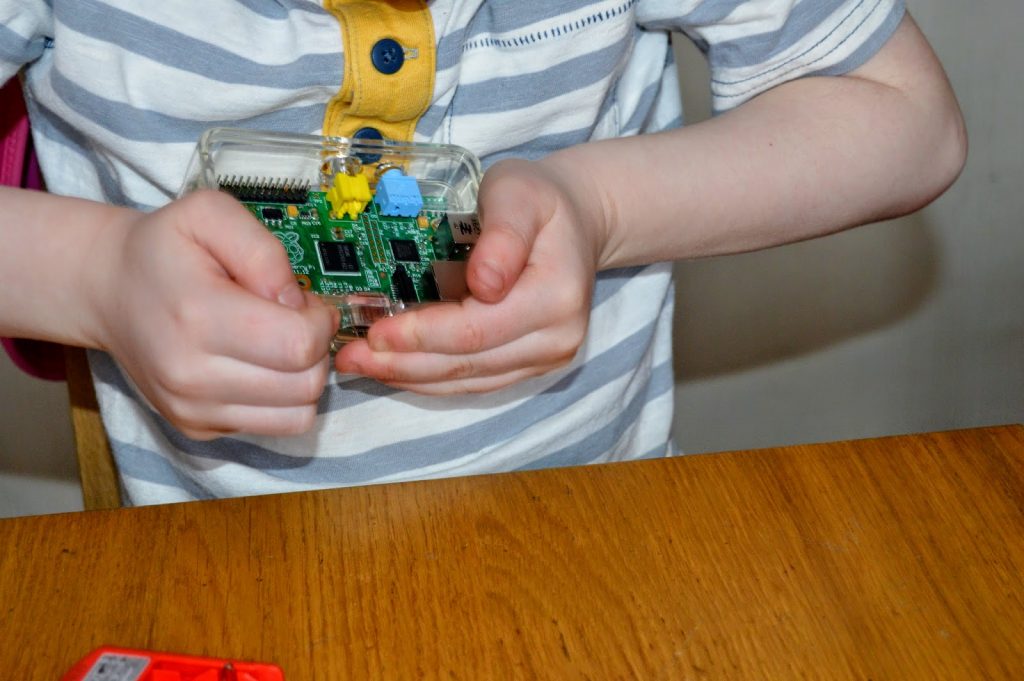
Regardless the manual is easy to follow and shows you each stage with pictures. I got Ben to help me and showed him what each part on the PCB (printed circuit board) was. He wasn’t very interested in that to be honest but it made me feel better so I did it anyway. Ben just wanted to play Minecraft.
Once you’ve put the case together and connected the speak the manual guides you through connect Kano up to your TV and to the included keyboard. Then you turn it on. As you turn it on you get a very grandiose start screen and are guided through some screens which mix visuals from the matrix with chasing a rabbit down a hole and you meet the visualisation of Kano. During this you have to input some commands on the keyboard to get past certain screens or to avert disaster! I know that sounds a bit silly and maybe pointless but I can assure you Ben was enthralled and didn’t want to stop using Kano at all.

The keyboard itself is pretty good. It’s connected via Bluetooth and works without a hitch. It’s also useful for connecting your phone or tablet in a pinch, which works easily (I typed the first half of this review on it without many problems). The track pad on it is fairly poor but it’s main problem is its small size which is unavoidable on a keyboard of this size for kids. It does its job though.
After the dramatic start up you need to connect to your WiFi network. Nothing unusual, just choose yours and put your password in. Kano then searches for updates and installs them. This took about 15 minutes in total which was a pain as Ben was dying to get back to using it, but better to get it out of the way right at the start.
Next you make your profile. I made one for Ben and then you’re on your desktop. Kano operating system is based on Linux which is an open source operating system. Anyone who’s used any Linux system before will immediately recognise the desktop experience. Even if you’ve never seen Linux it’s not much different to Windows. Pre installed are a number of programs which are designed to help people get to grips with Kano. You have a version of Minecraft that’s built for Kano with the ability to custom make blocks and look at the code that underlies the game. Ben was very excited. There’s a program called Terminal Quest which teaches you how to navigate the file system using typed commands. Very reminiscent of the earliest text based adventure games from early early pc gaming. Even though this is as basic as a game can be, Ben played this for over an hour and when I told him he had to turn it off he really didn’t want to. There’s also a pong game which we haven’t played yet. As you progress through the games and complete the tasks you can earn experience points and level up the character associated with the profile you made earlier. A very good incentive which has been proven through years and years of gaming. Kano turns learning how to program into a game. A good game too if Ben’s reaction is anything to go by.
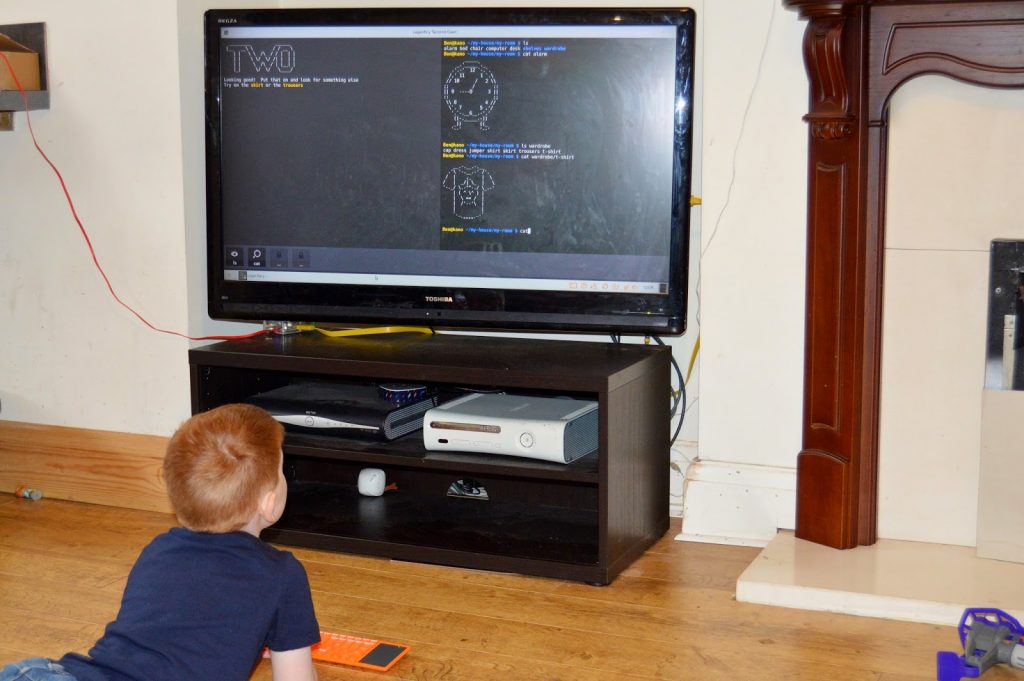
When we got Kano I thought Ben would use it a few times and get bored. Then I could re-purpose it to create a cheap NAS array for the house. (Raspberry Pi’s are unbelievably versatile if you’re willing to do a little fiddling with them.) However I think my plans will be scuppered! (I’m not truly bothered if Ben gets some use out of it.)
So, all good so far. The only downside however is the price. £120. If you were to buy a Raspberry Pi and a Bluetooth keyboard / trackpad separately I bet you could acquire them for about half the price of Kano. If you did that though you would be doing so without Kano operating system though. I really like Kano. It’s a good idea and it’s worked it’s magic on Ben which is nothing but good news in my book. Hopefully Ben will keep up with it and I’ll keep you updated on his progress. My mini geek! How exciting!

*Disclaimer – We were sent Kano free of charge for the purposes of review however all thoughts and opinions remains our own*

have to be my husband!
i think all 3 of us we are as bad as each other
I am just now but I would love my daughter to get more into computers in the future
Deffo my son, he loves learning about new tech
Probably me!
Ashleigh
its just me and my boy. i'm a bit of a technophobe so my lad already seems to know more than me.
My husband who does coding for a living
Definitely me.
My son, he knows more about technology than me.
MEEEEEEEEEEEE !!!
I think it would be a tie between me and my other half to be honest!
Meeeeee lol!
Scott Walliss – Me
The eldest of the little people. She's still quite little but she loves to build complicated things.
my son by miles 🙂
Definitely me I think!
my partner… but our toddler may follow
it would have to be me
my partner, he loves a good gadget!
My son, he loves his gizmos & gadgets.
my son he even watches on youtube other ppl playing games :/ x
I'd love to know who's the biggest geek in your house?……….. got to be my son
In my house it is me. In my extended family it's my computer programmer Brother in Law!
my son, he loves technology
my partner paul. he loves taking things apart to see how they work. My eldest son Owen would love this
My daughter knows how to work my ipad better than i do, its embarrassing lol
That would be me. 🙂
I think we are all pretty geeky but my 14 year old daughter just about takes the prize
It used to be me but I think my eldest daughter has been catching up with me recently!
me!
Fiona S
Me but I'm pants!
My partner, definitely – but it rubs off on all of us to be honest!
That would have to be me – simply lovely all technology
My son.
my boyfriend!
That would definitely have to be me!
Hubby is the biggest geek currently but is rapidly being caught up by my daughter!
my other half
its a toss up between my hubby and son x
that would be me!!
It would have to be my 16 year old!!
Definitely my husband!
I think my son is probably the biggest geek!!!!!!
It has to be my hubby!
My son
deffo my teenage son.
Definitely my 9 year old son!!! Without a doubt!
Definitely my son.
My daughter. She loves computers
Definitely me. – leanne w
Me!
Me ;s
Hard choice between me and my husband
My partner, he has built his own gaming PC that amounts to the cost of about a £1000 over the years and our two boys are following closely by in his footsteps
We're both pretty geeky (and initiating our daughter into the delightful world of geekiness)!
Well, around here both Mom and Dad are pretty geeky… 🙂
my husband he's useless Barbara M
My Boyfriend he loves anything with computer chips xx
my son lol x
my hubby 🙂
Meeeeee…. All the way 😀
me !!!
Me…..im the biggest geek in our house!!
Me of course 🙂
I am without doubt not just the biggest geek in my household, but the biggest geek in my family! That's why I'm trying to win this for my nieces! They're going to be living with my mum long term, as their parents are struggling to look after them. My mum will do a fantastic job with them, as she did with me. But she knows little about computers. When we were growing up, she got us computers, but we had to teach ourselves how to use them – she's terrified she might break something!
These days, she does use an iPhone and iPad, but even that is tentative. And I live in a different city to her, so I can't be there to support my nieces learning about computers as much as I'd like to be. So I'm hoping to win this because I think it would really help both them and my mum to understand computers much better, and put my mum in a much better place to be able to support their learning about computers and coding than she is right now.
As for myself, I've stripped computers down and rebuilt them thanks to having computers in my life from an early age. I've also built several websites for work and personal use, including my new family blog and I work as a photographer, which means getting my head around a lot of different software, from setting up websites, to using photography and video editing applications, and of course using word processing and spreadsheets to manage my business with. I love computers, and just this week paid a visit to Bletchley Park to learn more about Turing's work (which we'll be blogging about this week).
I'd love for my nieces to feel as comfortable with computers as I do, and I'm excited to see how the Kano kit could help them with that.
My husband but my daughter is catching up. This would be for my little son who is getting into computers (for now he uses my phone!)
Hubby at the moment but my son is catching up fast!
Its definitely me but son is not far behind
Oh, it's definitely me! 😀
Definitely my son! he loves anything to do with computers!
Meeeeeeeeeeee!
My 8 year old
Definitely me
I think it has to be my fiance 🙂
Me! I'd love to have a play with the Kano (for the purposes of then being able to teach my children, of course!).
My husband without a doubt!
my teenage son………………….super nerd!
Me
Definitely paul
Me *pushes glasses back onto nose*